Posts

Run Kali Linux on Windows without installing

Image
  Kali Linux is known as being the de facto penetration-testing Linux distribution but can be a pain to use as an everyday OS — even more of a pain if that means carrying around a second laptop or the constant frustration of using the finicky Wi-Fi on virtual machines. But there’s another option: installing a Kali subsystem on your Windows computer as a convenient compromise. Microsoft has introduced Windows Subsystem for Linux, or WSL, which lets users run their favorite Linux distributions directly from Windows 10 without dual-booting or using a virtual machine. Thanks to the efforts of Offensive Security and the WSL team at Microsoft, Kali Linux is now the most recent addition to the Microsoft Store. Those familiar with running Kali virtual machines understand the frustration of attempting to use Wi-Fi and Wi-Fi adapters, which is what makes the Windows subsystem so nice — you have no such problems. Additionally, you have the full performance capability of yo...
How hackers Bypass Locked Windows Computers to Run Kali Linux from a Live USB

Image
  It’s easy to run Kali Linux from a live USB on nearly any available computer, but many publicly accessible laptops and desktops will be locked down to prevent such use. School, work, or library PCs can be secured with a BIOS password, which is often an easily recovered default password. Once you have access, though, you can use a USB flash drive to run Kali live on any PC you find. Running Kali Linux on Computers via USB With a Kali live USB stick, you can run a hacking OS on any machine you can plug into, meaning you don’t have to dedicate your personal computer or a portion of it for your hacking adventures, nor do you need to buy a PC just to use Kali with. A live USB allows the resources of the computer to be used to boot from the thumb drive, ignoring the hard drive the computer usually boots from. When running Kali from a USB stick, there are two different ways of doing so. One is persistent, meaning changes that you make are saved to the flash drive. The other is non-...

Create Bootable USB with Persistence for Kali Linux

Image
  Recently I was trying to install Kali Live on a USB drive with persistence and struggled to find a tutorial online that was simple and actually worked. After some trial and error I figured out how to do it correctly and decided to make an article for anyone who is experiencing the same difficulty I did. You will need an USB with at least 8GB. Mine is 132GB, nice and large. Step 1 Universal USB Installer Visit the following link and download the Universal USB Installer: http://www.pendrivelinux.com/universal-usb-installer-easy-as-1-2-3/ Step 2 Download Latest Edition of Kali Linux Visit the following link and download the appropriate Kali ISO. https://www.kali.org/downloads/ Step 3 Create Bootable USB After Kali is finished downloading, run Universal USB Installer and chose ‘Kali Linux’ from the list of Linux Distributions to install on your USB flash drive. You can alternatively chose one of the other distributions listed. Click ‘browse’ to navigate through your folders. Under do...

How Hackers Break into Somebody’s Computer and Exploit the System

Image
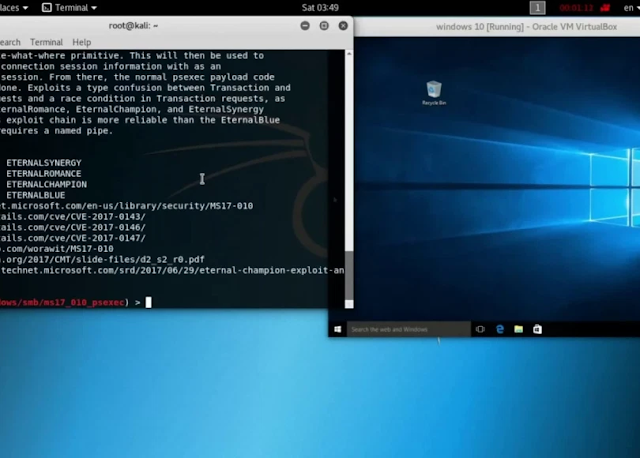
  After a hacker has configured Metasploit on a remote private server, created a resource script for automation, and created a simple payload, he or she can begin the process of remotely controlling someone’s Windows 10 computer with just a few moments of physical access — even if the computer is off. If you haven’t already, make sure to see my previous article on setting up the live USB and payload USB. Otherwise, you might get a little confused if you don’t know where the USB flash drives came from in the steps below. Once that’s out of the way, you can follow through the rest of the attack here, where the two USB flash drives will be inserted into the powered-off target computer, Windows Defender and other security software will be aggressively removed, and the payload will be saved in the right spot. And as always, whether you’re a white hat, pen tester, security researcher, or just a regular old Windows 10 user, some preventative measures will be discussed near the b...